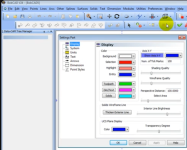
Here you go, Mike. Bobcad V24 Preferences - Settings Part vs. Settings Default
I timestamped your request, but don't sleep on the rest of the video; you can learn some great features that very few cuemakers even know are possible in ≈5 minutes.
Hiding unused toolbars, custom toolbars and keyboard shortcuts make it easier to navigate Bobcad and save tons of time. With less screen clutter, the program is more enjoyable to use.
For example, I hid all of the 3D design toolbars/buttons that we don't use for inlays.
You can even build Custom Toolbars with the tools you actually use. I did this for most of my toolbars; I'm not sure any are "stock." Keyboard shortcuts save so much time for repetitive actions (in any program). No time spent hunting for a button; just enter the key(s). Whenever possible, I pick a shortcut that makes sense to me, and try to set up similar keyboard shortcuts across programs.