Question..............

beanz22

AzB Silver Member
Silver Member
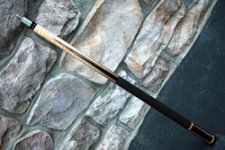
Can anyone please help me out? There are pic's of my cue on-line if you type it on a google search, but i don't know how to post it on here! Its the skip weston from cornerstone cues! Can anyone help me please? If you type in skip weston there's one that comes up from cornerstone thats my cue! Can someone please pm me and let me know how to do it! I'd appreciate it!

Thanks,
marc
 
Find the pic online and right click on it. Then "Save picture as" to your computer (desktop or someplace). Then use the add attachment feature (paperclip icon) in the menu above where you write/edit your post. Click the down arrow next to the paperclip and browse your computer for the picture. Upload it. Then close that window. Put the cursor wherever you want the pic to go and click manage attachments. Then click on the pic name and it will be imported into your post wherever the cursor is.

Like this:

Skip Weston.jpg
 
Last edited:
Or you can use IMG tags like this: [*IMG]www.yourpicture.com/yourpic.jpg[/IMG] delete the * symbol and that is the format.

there's a shortcut in the message menu, 3 to the right of the hyperlink button. It's the one with the mountain image. Just copy/paste the URL of the image, highlight it, and then click that button.

To get a single image's URL using Firefox, right click on it and select View Image
 
Just go to the website click on the pic. It will supersize. Copy the pics location by highlighting the address in the address bar at top by right clicking and then go to copy click on it. click on this image up to the top of your message pane on AZ.
insertimage.gif
and right click an choose paste. Bam your done.
 
Just go to the website click on the pic. It will supersize. Copy the pics location by highlighting the address in the address bar at top by right clicking and then go to copy click on it. click on this image up to the top of your message pane on AZ.
insertimage.gif
and right click an choose paste. Bam your done.

With this method if the source website deletes the picture or changes it's location, will it no longer display in the post?
 
True!........but quick!

Agreed. The insert image feature probably saves on bandwidth/storage and perhaps there is no limit on pics inserted into a post in this manner like there is with an attachment. But I have been in older threads where pics of cues & such were missing from the post because they were inserted this way and the source website had since deleted it.

BTW beanz, if you want to insert a pic this way that you can't supersize and isolate at the source website, when you right click on it choose "copy image location". Then when you insert the image it will still work, the image will simply be posted in the size in which it appears on the source website.
 
Last edited:
Borrowing pics

FYI: If you're going to 'borrow' an image off someone's website to post, it's good practice to ask permission since it's usually a copyrighted picture.
At the very least, give credit and provide a link to that person's website.
 
Back
Top